HH88 FAQ: Forgot Password — Fast Reset Steps and Common Mistakes
For many online players in Malaysia, forgetting a password happens more often than expected. Some users create multiple gaming accounts across different platforms, while others use long and complicated passwords for better security. After a few weeks without logging in, it becomes easy to forget account details. That is why understanding the HH88 password reset process can save time and prevent unnecessary stress.
Most password recovery problems are actually simple to fix. However, many players make small mistakes during the reset process, causing delays, temporary login lockouts, or verification failures. Knowing the correct steps can help users regain account access quickly while keeping their accounts safe from unauthorized activity.This guide explains how the HH88 forgot password process works, common reset mistakes, how to avoid verification issues, and important safety tips Malaysian users should know before resetting their accounts.
Why Password Problems Happen on HH88
There are several reasons why users suddenly cannot access their HH88 accounts. In many situations, the issue is not caused by the platform itself. Instead, it is related to user habits, device changes, or browser problems.
Some of the most common causes include:
Forgotten passwords after long inactivity
Saved passwords removed from browsers
Typing mistakes during login
Expired OTP verification codes
Login attempts from new devices
Internet connection interruptions
Browser cache conflicts
Password changes forgotten immediately after update
Confusing uppercase and lowercase characters
Modern gaming accounts often include multiple security layers. While these protections improve safety, they can also create confusion if users rush through the login process without checking details carefully.
First Steps Before Resetting Your Password
Before starting the forgot password process, users should first confirm whether the issue is truly password-related. Many login failures are caused by small technical problems that can be fixed within minutes.
Try the following checks first:
Confirm Username Accuracy
Some players accidentally type the wrong username or use an old account ID. Double-check spelling, numbers, and symbols carefully.
Check Internet Stability
Weak internet connections may interrupt login sessions or delay OTP verification messages.
Disable Auto-Fill Temporarily
Sometimes browsers automatically insert outdated passwords saved months earlier. Manually typing the correct password may solve the issue immediately.
Try Another Browser
Certain browser extensions or corrupted cache files may interfere with login systems. Switching browsers can sometimes restore access instantly.
Clear Cache and Cookies
Old stored website data can create conflicts with updated login systems. Clearing cache often fixes loading or verification problems.
If none of these solutions work, the password reset process becomes the next step.
How to Reset Your HH88 Password Quickly
The HH88 forgot password system is designed to help users recover accounts safely while preventing unauthorized access.
Following the correct process helps avoid unnecessary delays.
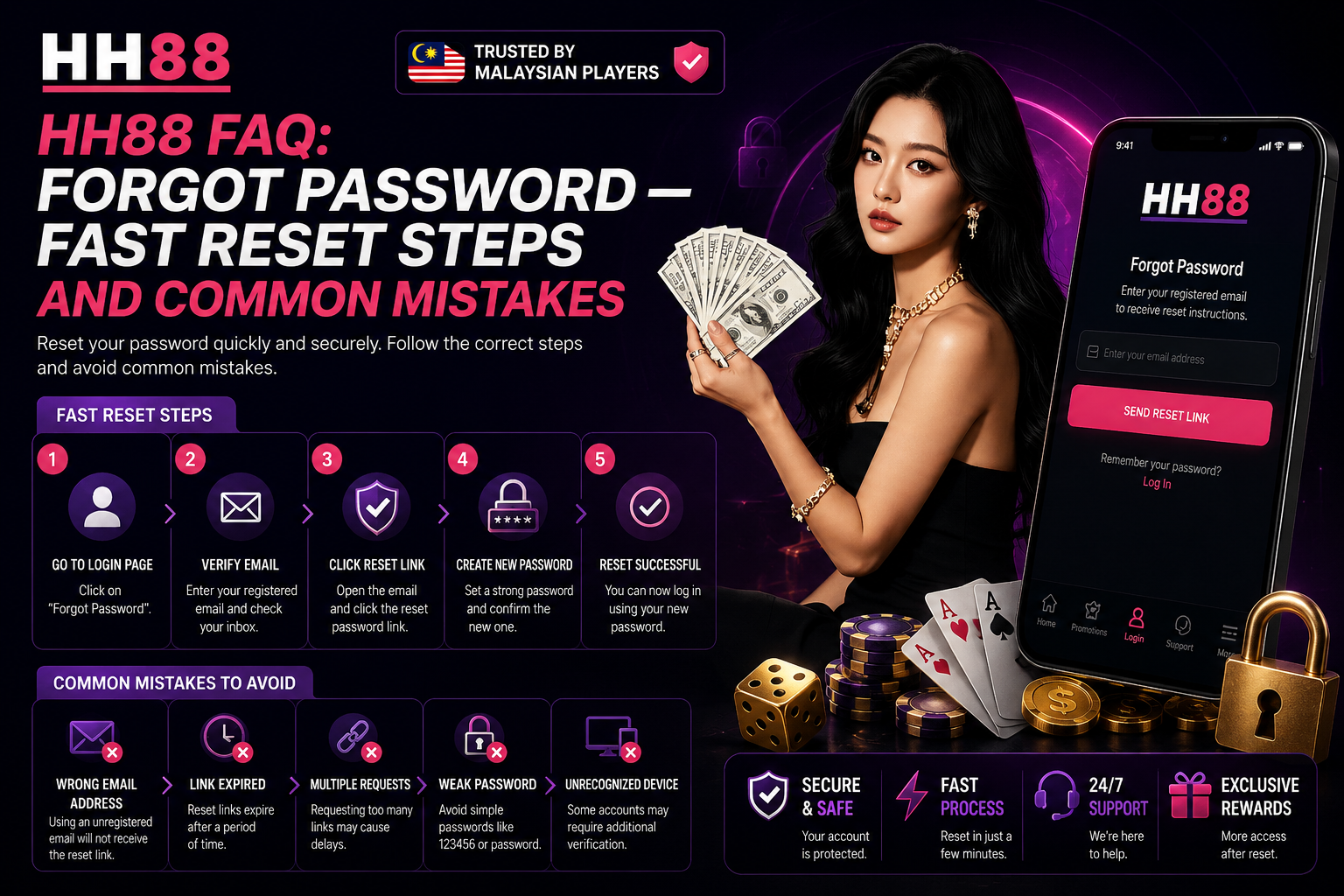
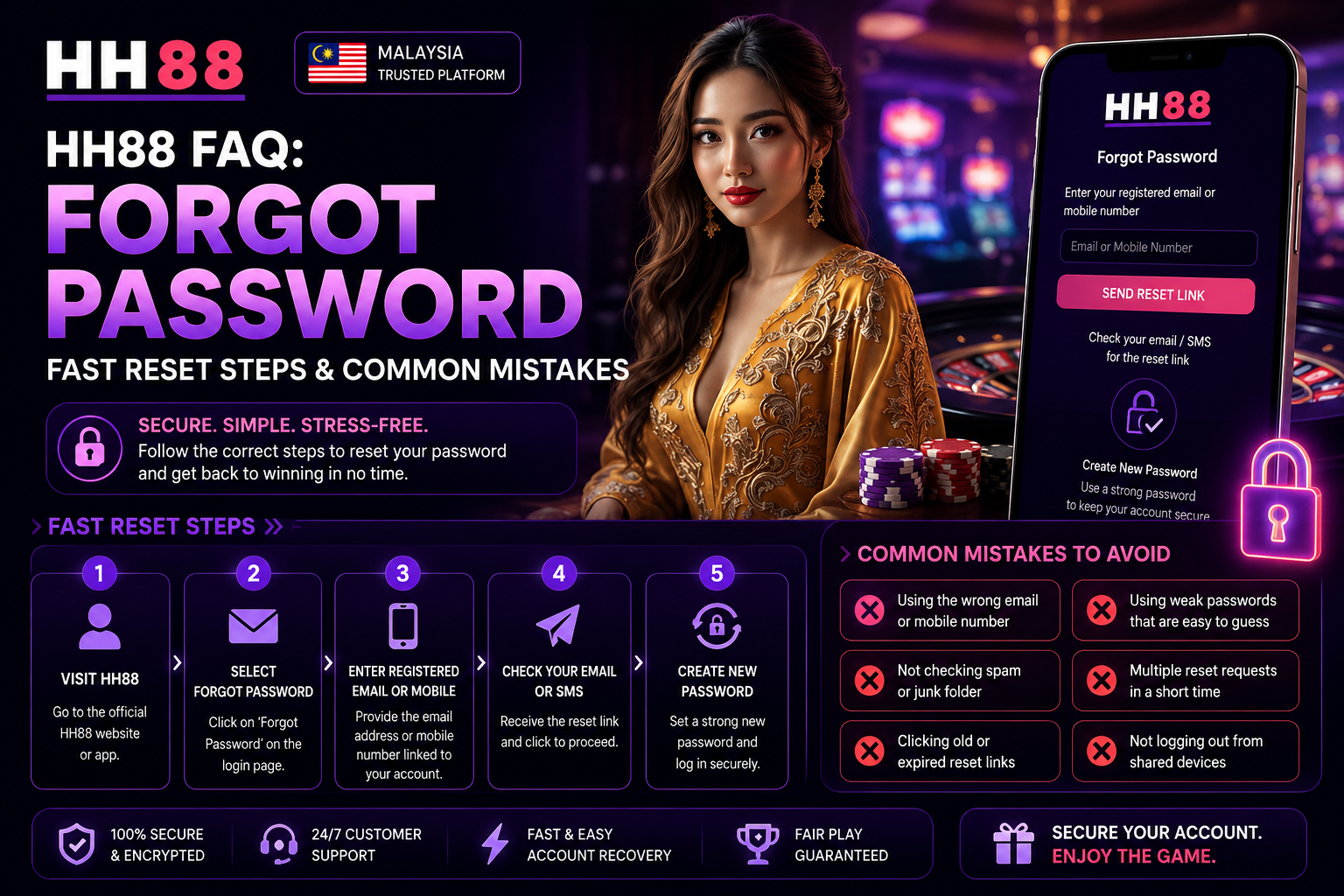
Step 1: Visit the Official HH88 Login Page
Always use the official HH88 website link. Avoid random links shared in messaging groups or unknown social media pages.
Fake recovery pages are one of the biggest security risks for online players.
Step 2: Click “Forgot Password”
On the login page, users will usually see a “Forgot Password” option below the password field.
Clicking this starts the recovery process.
Step 3: Enter Registered Information
Users may need to provide:
Registered username
Phone number
Email address
Verification details
The information must match the original registration data exactly.
Step 4: Receive OTP or Verification Code
HH88 may send a one-time verification code through SMS or email.
This code is time-sensitive and usually expires within a short period.
Step 5: Create a New Password
Choose a new password that is:
Strong
Easy to remember
Different from old passwords
Difficult for others to guess
Avoid using birthdays, phone numbers, or simple combinations like “123456”.
Step 6: Confirm and Login Again
After resetting successfully, users can return to the login page and access their account using the new password.
Common Mistakes During Password Reset
Many password recovery delays happen because users rush through the process without paying attention to details.
Understanding these mistakes can help players avoid repeated failures.
Using Incorrect Registered Information
One of the biggest problems is entering the wrong phone number or email address during verification.
Some users forget which number they used when registering years earlier.
Always verify the original account details before attempting recovery.
Requesting Too Many OTP Codes
Some users repeatedly press the resend OTP button within seconds.
This may cause:
Temporary verification blocks
Delayed message delivery
Security system warnings
Wait patiently before requesting another code.
Ignoring Uppercase and Lowercase Characters
Passwords are often case-sensitive.
For example:
HH88Player
hh88player
These are treated as different passwords.
Even a single capital letter mistake can prevent login access.
Using Weak Passwords Again
Many users reset passwords but choose extremely simple combinations.
Weak passwords increase the risk of:
Unauthorized access
Account theft
Suspicious login activity
A stronger password protects long-term account safety.
Resetting Passwords on Public WiFi
Public internet networks may expose sensitive login information.
Avoid password resets in:
Shopping malls
Public cafes
Airports
Shared office WiFi
Use secure personal connections whenever possible.
Forgetting the New Password Immediately
Some users create random passwords during recovery and forget them within minutes.
Consider:
Writing passwords securely
Using password managers
Creating memorable combinations
Avoid resetting repeatedly within short periods.
Why OTP Problems Happen
OTP verification is one of the most important security systems for modern online accounts. However, Malaysian users sometimes experience delayed or missing OTP messages.
Several factors may cause this issue.
Poor Mobile Signal
Weak network coverage can delay SMS delivery significantly.
Moving to a stronger signal area often helps.
Full SMS Inbox
Some older devices stop receiving new messages when storage is full.
Deleting unnecessary messages may solve the issue quickly.
Delayed Mobile Provider Routing
At busy hours, telecom providers may delay verification messages temporarily.
Waiting a few minutes before retrying is recommended.
Incorrect Phone Number
Users occasionally register using old phone numbers they no longer use.
Keeping account details updated is important for future recovery.
Device Security Filters
Certain phones automatically block unknown verification messages.
Checking spam or blocked message folders may help.
How HH88 Protects User Accounts
Modern gaming platforms use multiple security systems to protect accounts from unauthorized access.
HH88 account security may include:
OTP verification
Device recognition
Login location monitoring
Password encryption
Suspicious activity detection
These systems sometimes create extra verification steps, especially when:
Logging in from a new phone
Changing internet networks
Traveling overseas
Using VPN services
Switching browsers frequently
While extra verification may feel inconvenient, it helps reduce account theft risks.
Best Password Practices for Malaysian Players
Good password habits reduce future login problems dramatically.
Here are practical recommendations users should follow.
Use Longer Passwords
Longer passwords are harder to guess.
A good password should combine:
Letters
Numbers
Symbols
Mixed capitalization
Avoid Reusing Old Passwords
Using the same password across multiple websites increases security risks.
If another platform gets compromised, attackers may try the same password elsewhere.
Update Passwords Periodically
Changing passwords occasionally improves account protection.
However, avoid changing too frequently if it causes confusion.
Never Share Login Information
Even trusted friends should not have account passwords.
Shared accounts increase:
Login conflicts
Security risks
Unauthorized changes
Enable Extra Verification Features
If additional security options are available, activating them helps protect accounts from suspicious access attempts.
What To Do If Password Reset Still Fails
Sometimes users complete the recovery process but still cannot access their accounts.
Possible reasons include:
Incorrect new password entry
Browser cache conflicts
Expired recovery session
Device compatibility problems
Account verification reviews
In such situations, contacting customer support becomes the best option.
Information to Prepare Before Contacting Support
Providing accurate information helps speed up assistance.
Useful details may include:
Username
Registered phone number
Approximate last login date
Screenshot of error messages
Device type
Browser used
The more accurate the information, the faster support teams can verify ownership.
How Device Changes Affect Login Access
Modern platforms often monitor device consistency for security reasons.
If users suddenly switch:
Phones
Browsers
Internet locations
Operating systems
The system may request additional verification.
This does not always indicate a problem. It is often a normal security response designed to protect accounts from suspicious access.
Why Some Accounts Get Temporarily Locked
Too many failed login attempts within a short time can trigger temporary account restrictions.
This is a protective measure against:
Brute-force attacks
Password guessing attempts
Automated login bots
In many cases, waiting for a short cooldown period solves the issue.
Repeated forced attempts usually make the situation worse.
Browser Problems That Affect Password Recovery
Browser-related issues are more common than many players realize.
Problems may include:
Outdated browser versions
Corrupted cookies
Conflicting extensions
Ad blockers interrupting scripts
Updating the browser or using incognito mode often helps.
Mobile Login vs Desktop Login
Some users experience recovery differences between mobile and desktop devices.
Mobile users may encounter:
OTP autofill issues
Keyboard typing mistakes
App permission restrictions
Desktop users may face:
Browser extension conflicts
Cache storage problems
Saved password confusion
Trying another device can sometimes solve login problems quickly.
Avoiding Fake Recovery Pages
Online scammers frequently target gaming users with fake login websites.
Warning signs include:
Strange website URLs
Poor design quality
Unusual spelling errors
Unexpected download requests
Requests for banking passwords
Always verify official HH88 access links before entering account details.
The Importance of Keeping Account Information Updated
Many recovery failures happen because users forget to update:
Phone numbers
Email addresses
Security verification details
If an old phone number is no longer active, OTP verification becomes much harder.
Regularly checking account settings helps avoid future recovery complications.
Password Safety for Shared Devices
Using shared computers or public devices increases login risks.
After logging in:
Always logout completely
Avoid saving passwords
Clear browser history if necessary
This reduces the chance of unauthorized access later.
Final Thoughts
Password problems are common for online gaming users, especially for players managing multiple accounts and devices. Fortunately, most HH88 login issues can be resolved quickly by following the correct recovery steps carefully.The key to successful password recovery is patience, accuracy, and security awareness. Small mistakes such as entering incorrect verification details, requesting too many OTP codes, or using weak passwords often create unnecessary complications.By understanding how the HH88 forgot password system works, Malaysian players can recover account access more smoothly while keeping their personal information protected. Strong password habits, updated account details, secure internet connections, and careful login practices all contribute to safer long-term account management.Instead of rushing through login recovery, users who take a few extra moments to verify details properly usually experience much faster and more successful results.